A guide from the app’s developer
Your first AFTERARC run: catch, aim, choose an upgrade
The first satisfying moment in AFTERARC: Ricochet is a return you meant to make. Your crescent paddle circles the arena, and where it catches the ball changes the next shot. Give your first run one small goal: catch the return, then try a different angle.
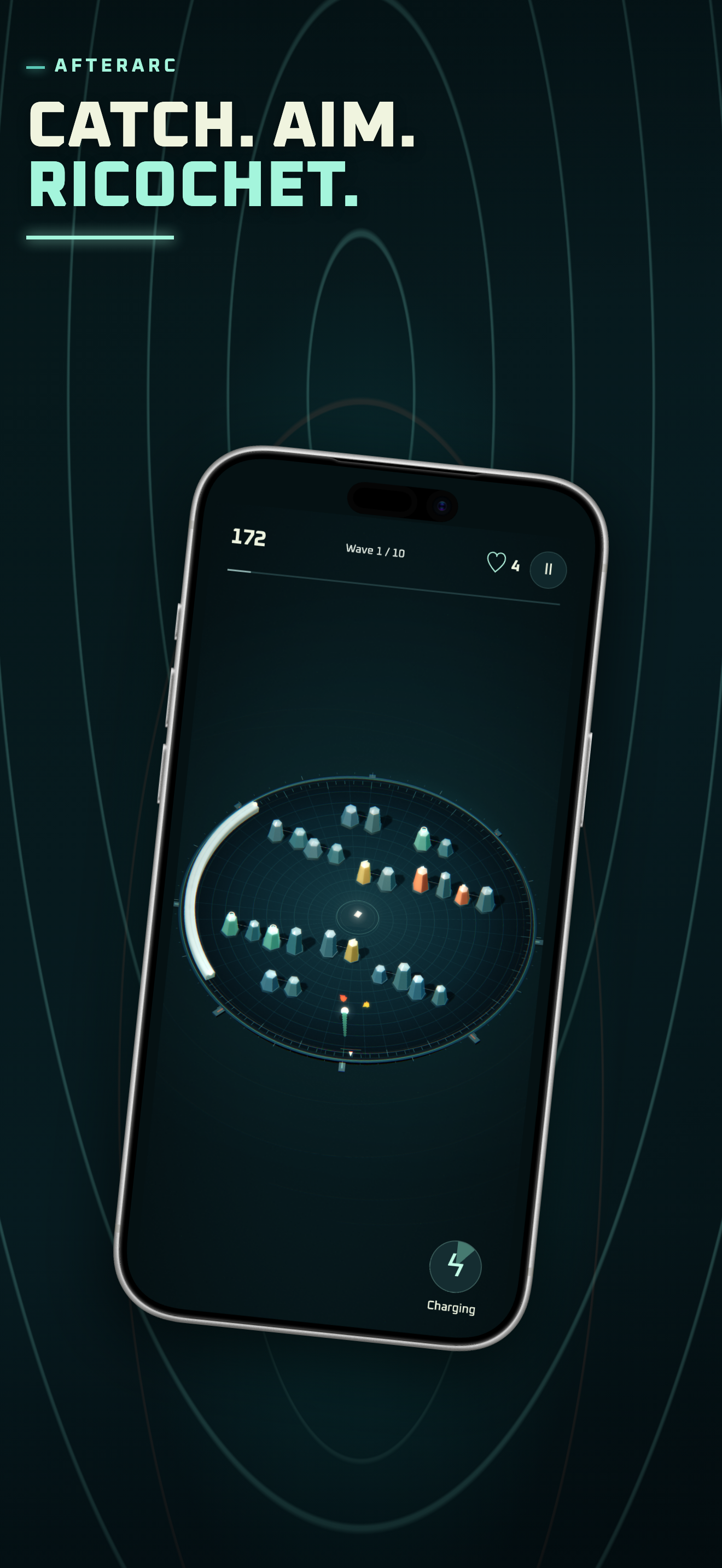
Get comfortable with the return
- Take the tutorial if you are new. The game offers a hands-on introduction you can skip. Use it to try the controls before chasing a long run.
- Swipe to turn the paddle. Swipe left or right to move around the rim. Holding near a screen edge keeps turning. Lift and touch again when you need more room for the next swipe.
- Tap when the launch prompt is ready. Follow the ball after launch, then move your paddle into its returning path.
- Compare two catches. Try to meet one return near the paddle’s center. On another return, aim closer to an edge. Center catches send a straighter line; edge catches bend the next shot.
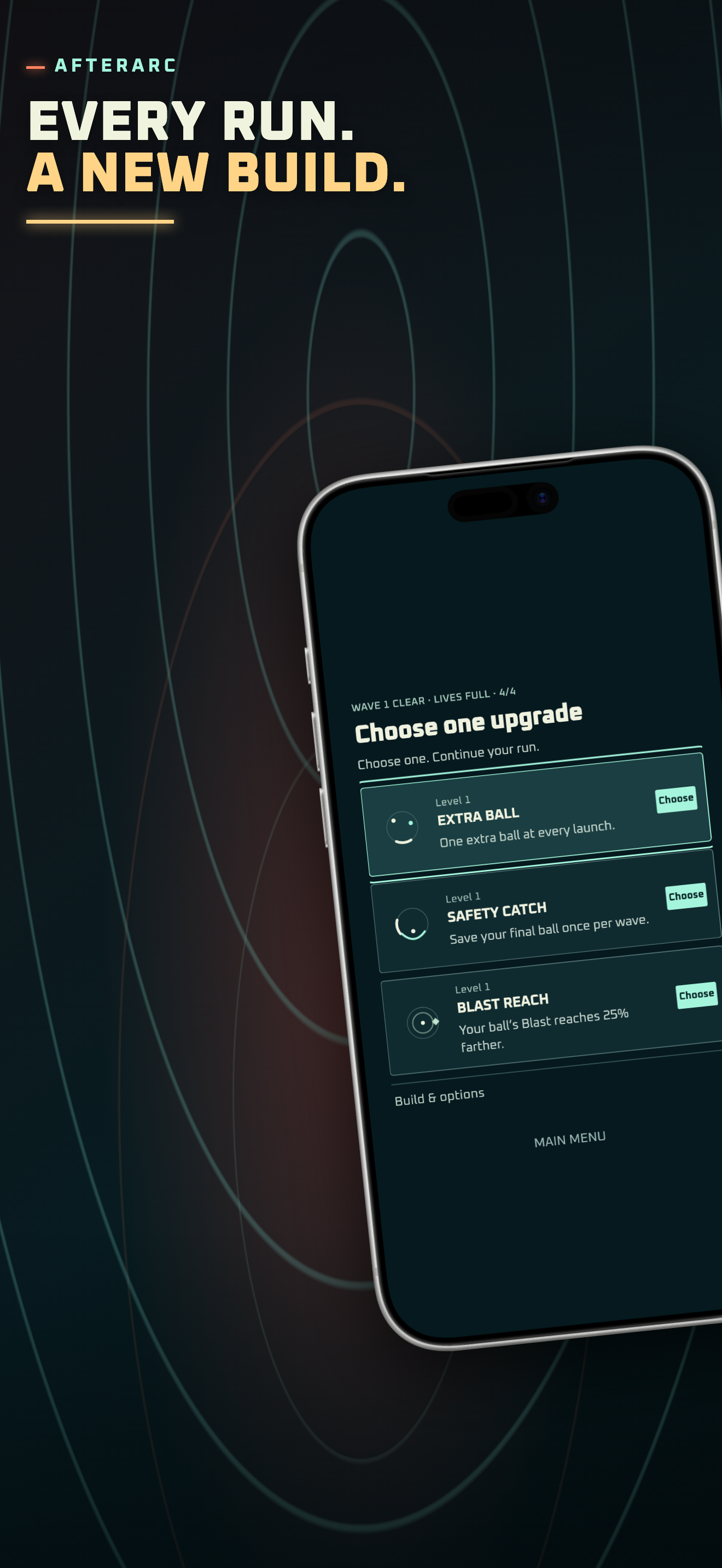
- Read one upgrade at the wave break. Choose an effect you want to try, then see how it changes your next wave. Keep watching the return even when the build gets busier.
Make your first choice a useful experiment
The published upgrade screenshot shows Extra Ball, Safety Catch and Blast Reach. Their descriptions explain the immediate change: another ball at launch, protection for the final ball once per wave, or a larger Blast area. The choices offered in your own run can differ.
If keeping the last ball in play is difficult, look for an available choice that helps your catch or survival. If catches already feel comfortable, try a choice that changes how you attack the targets. You are learning what the effect does in your hands.
Use Blast when you can see the opening
Build charge through play. When Blast is ready, double-tap the playfield or tap Blast. It detonates around a ready ball, so look at where the ball is before using it. A larger area can help, but timing still matters.
Portals, lift pads and changing target arrangements can alter the route. Follow one return at a time. Learning a room is part of the challenge, and a lost run gives you a specific angle to try differently next time.
Choose one goal for the next run
Try three clean catches, an intentional edge return, or a well-placed Blast. Standard and Relaxed difficulty let you choose a pace. You can also replay a Run code and compare a different build once you have a run worth revisiting.
Try it in AFTERARC: Ricochet
iPhone and iPad · iOS / iPadOS 15.0+. Free download with ads and an optional one-time Remove Ads purchase. The App Store shows the current availability and purchase options for your country.
Get AFTERARC: Ricochet on the App StoreProduct features and availability were checked against the current App Store listing. See the app overview for more details.